Title here
Summary here
自动同步来源: NEVSTOP-LAB/LabVIEW-Program-run-on-startup 导入规则:README 包含不少于 50 个中文字符时导入,正文保持原文。
LabVIEW范例:如何让程序在系统启动时自启动
[!NOTE] Example 依赖 NEVSTOP-Programming-Palette.
Use Run or RunOnce registry keys to make a program run when a user logs on.
The Run key makes the program run every time the user logs on,
while the RunOnce key makes the program run one time, and then the key is deleted.
These keys can be set for the user or the machine.

The data value for a key is a command line no longer than 260 characters.
Register programs to run by adding entries of the form description-string=commandline.
You can write multiple entries under a key.
If more than one program is registered under any particular key,
the order in which those programs run is indeterminate.

The Windows registry includes the following four Run and RunOnce keys:

HKEY_LOCAL_MACHINE\Software\Microsoft\Windows\CurrentVersion\Run
HKEY_LOCAL_MACHINE\Software\Microsoft\Windows\CurrentVersion\RunOnce
HKEY_CURRENT_USER\Software\Microsoft\Windows\CurrentVersion\Run
HKEY_CURRENT_USER\Software\Microsoft\Windows\CurrentVersion\RunOnce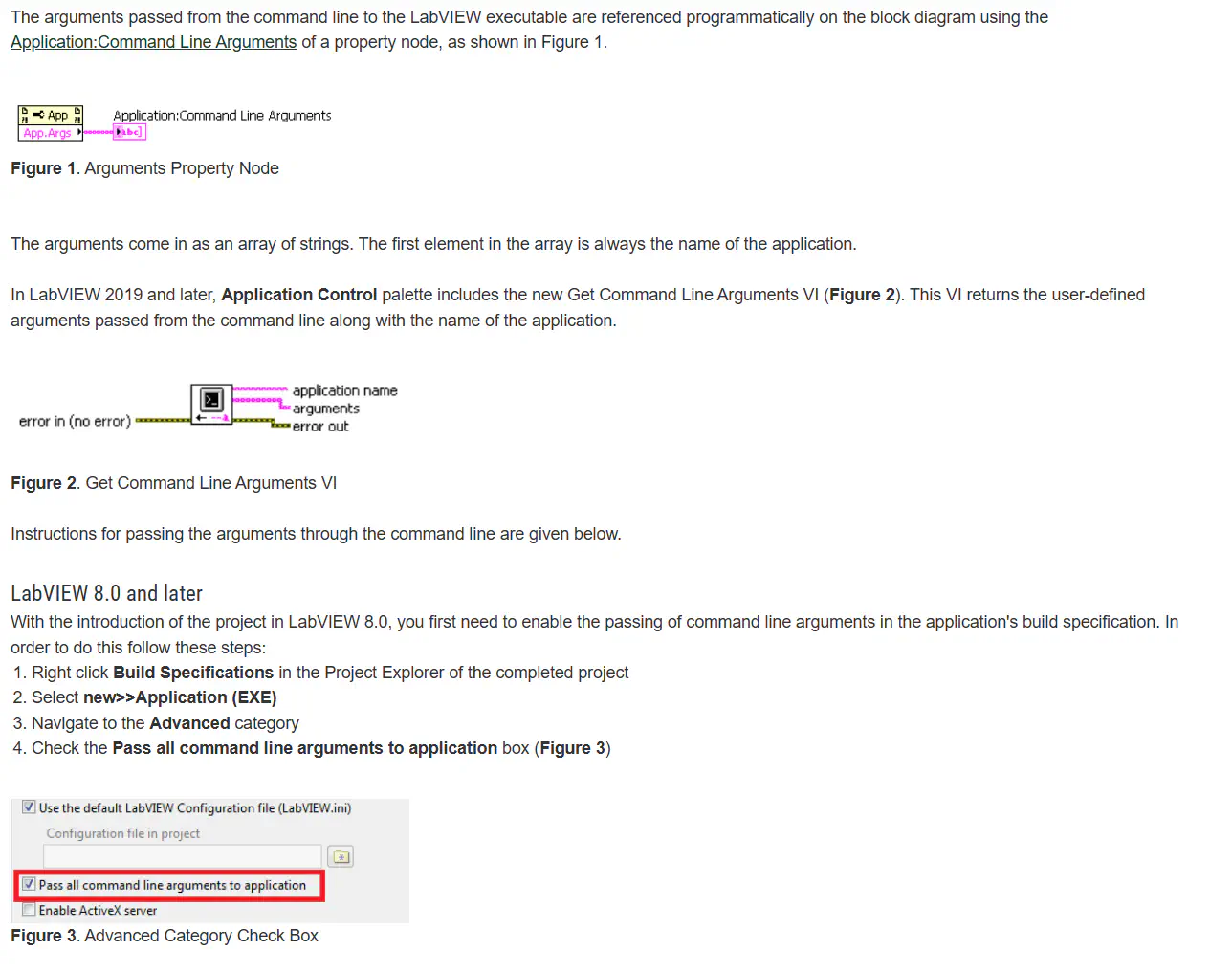
[!TIP] 如果中文出现乱码如何处理:修改 reg文件的编码方式,设置为 ANSI 或 UTF-16 LE 编码。 reg文件导入注册表后出现中文乱码的解决方法
[!TIP] 此VI已包含在 NEVSTOP-Programming-Palette 4月Rleases 的 application Palette中,直接生成的reg 文件是 UTF-16 LE 编码.
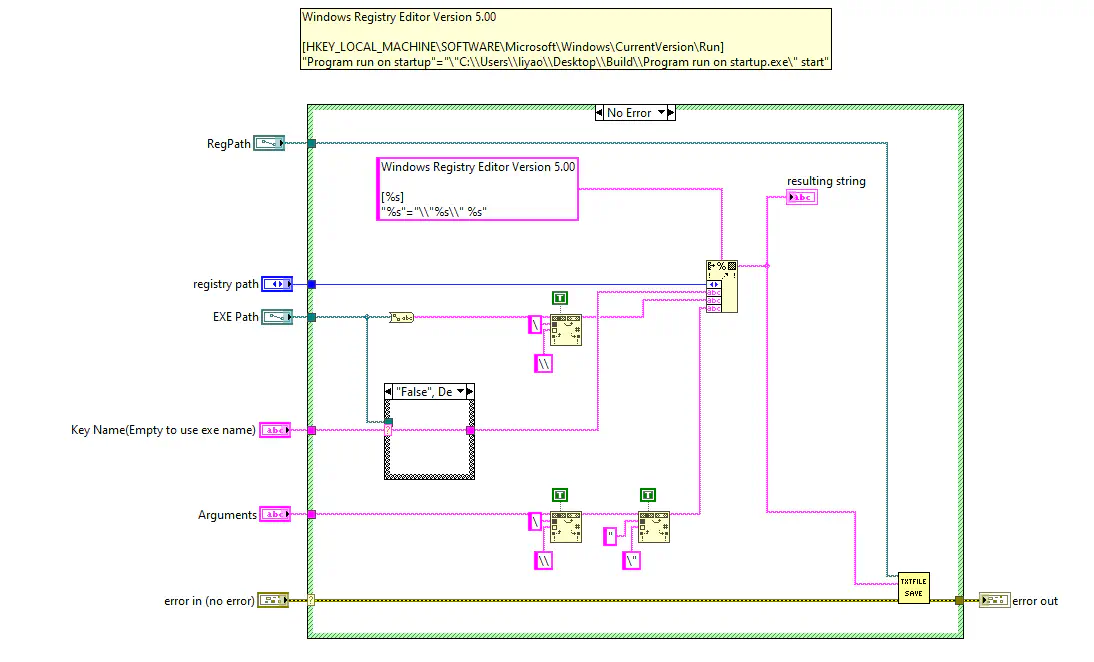
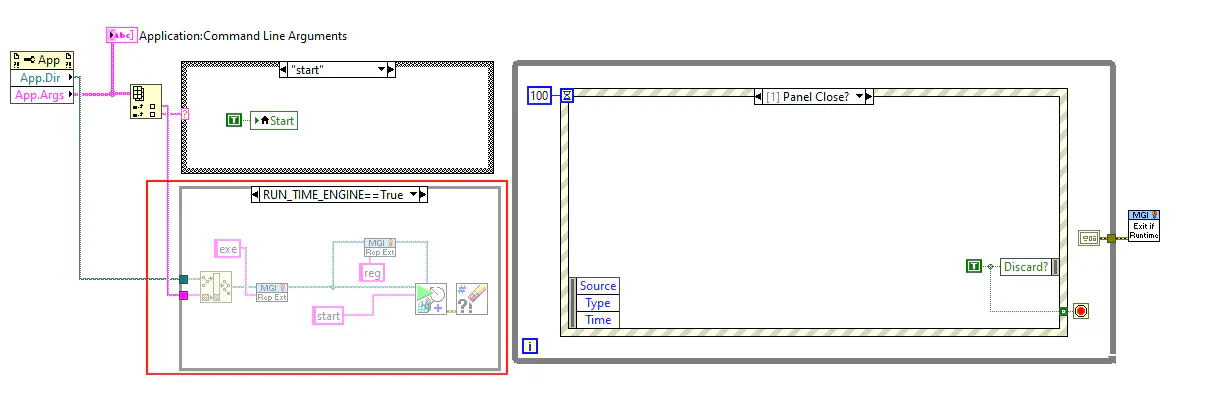
按照 Pass Command Line Arguments to a LabVIEW Executable 配置编译 exe
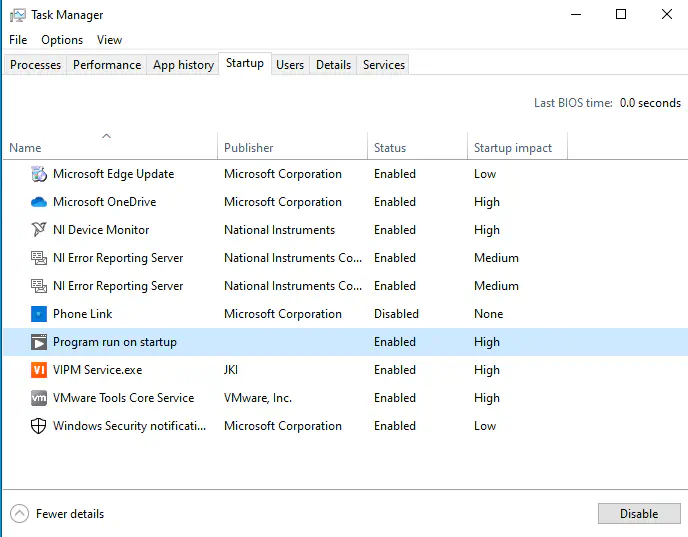
运行 exe后, 双击 reg 文件, 将自启动信息导入注册表,重启系统后,程序会自启动, 可以在任务管理器中查看到启动项。